

Understanding AD Trust Relationship in Active Directory
Introduction
Welcome back to the MCSA Full Course series. Today, in Day 29, we’re going to explore a very important topic in Active Directory – AD Trust Relationships.
Whether you’re an IT professional managing enterprise-level infrastructure or a beginner just learning Active Directory, understanding trust relationships is crucial. They form the backbone of secure communication and resource sharing between multiple domains and forests in a network.
Let’s break it down step by step in simple words, just like I would explain in a classroom or tutorial.
What is an AD Trust Relationship?
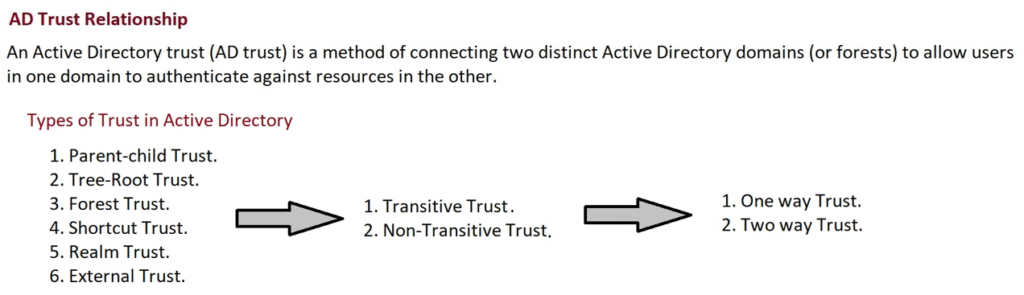
In Active Directory, a Trust Relationship is a link between two domains or forests that allows users in one domain to access resources in another.
Think of it as a “friendship agreement” between domains. Once trust is established, users from one side can log in or use resources on the other side, depending on the type of trust.
Why Do We Need Trusts?

Imagine your company has multiple locations or business units, each with its own domain controller. Without trust, users from one domain cannot access files, printers, or applications in another.
By creating trust relationships, organizations can:
- Reduce duplication of accounts.
- Enable secure authentication across domains.
- Simplify user and resource management.
Types of AD Trust Relationships
Active Directory supports multiple types of trusts. Let’s go through each one with examples.
1. Parent-Child Trust
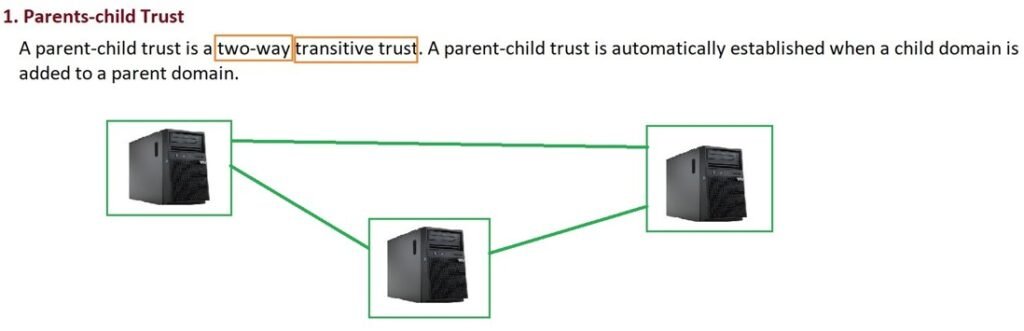
- Created automatically when a new child domain is added.
- Always two-way and transitive.
- Example: If you add
child.it4u.inunderit4u.in, both domains trust each other by default.
2. Tree-Root Trust
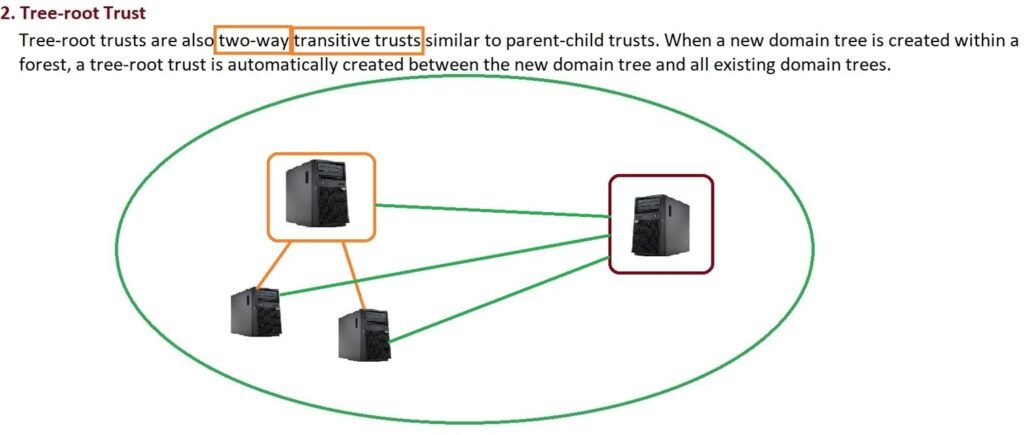
- Created when a new domain tree is added to a forest.
- Also two-way and transitive.
- Example: Adding
support.it4u.inas a separate tree under the forest.
3. Forest Trust
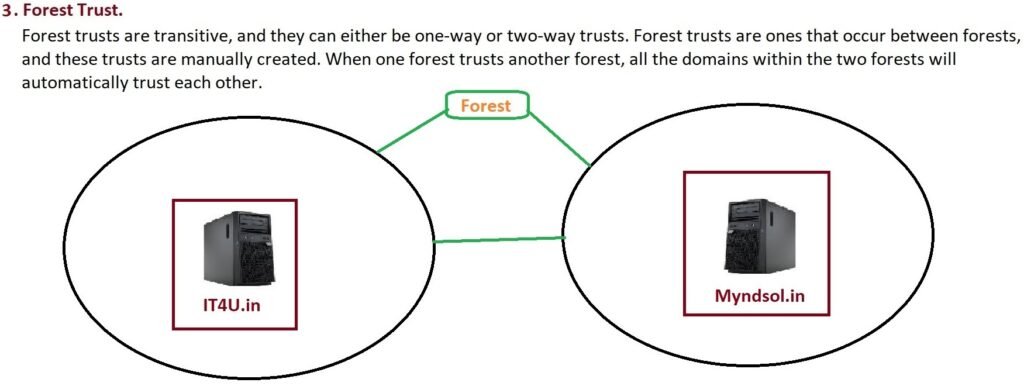
- Manually created between two different forests.
- Can be one-way or two-way.
- Useful when two companies merge and want to share resources, e.g.,
it4u.inandmindful.in.
4. Shortcut Trust
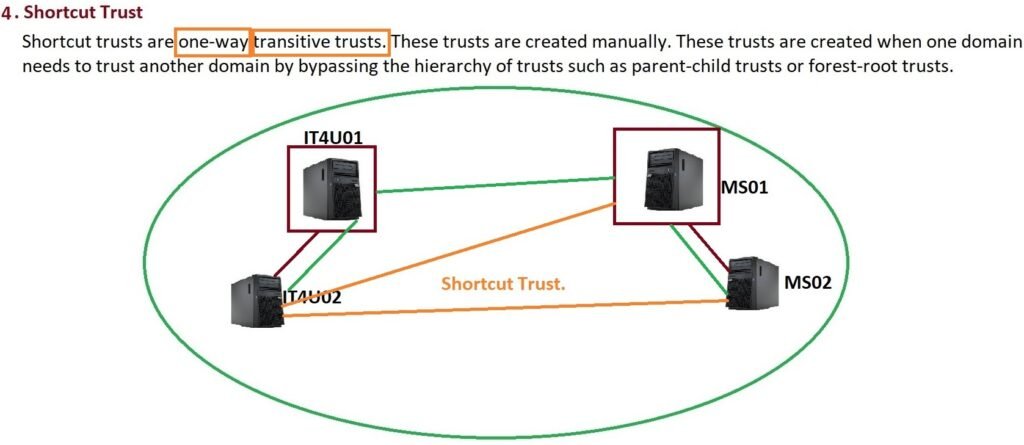
- Manually created to reduce authentication time.
- Example: Instead of going through multiple domains, a shortcut trust lets two distant domains communicate directly.
5. Realm Trust
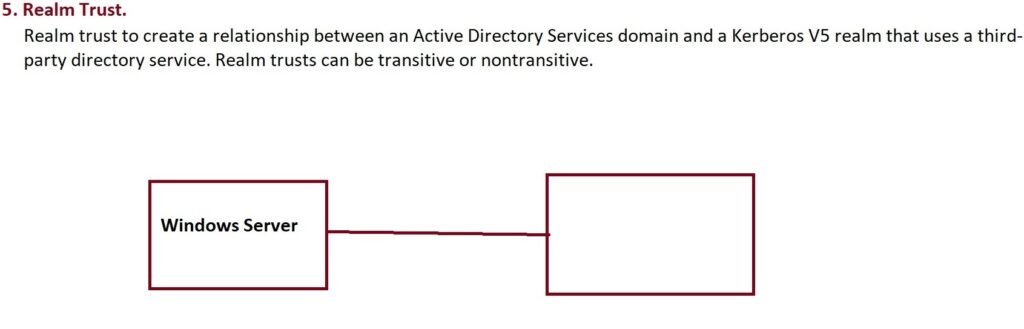
- Used to connect AD with a non-Windows Kerberos realm (like UNIX/Linux systems).
- Can be transitive or non-transitive.
6. External Trust

- A non-transitive trust created manually.
- Typically used to connect with older Windows domains (like Windows Server 2003).
Trust Classifications
Apart from types, trusts are also classified as:
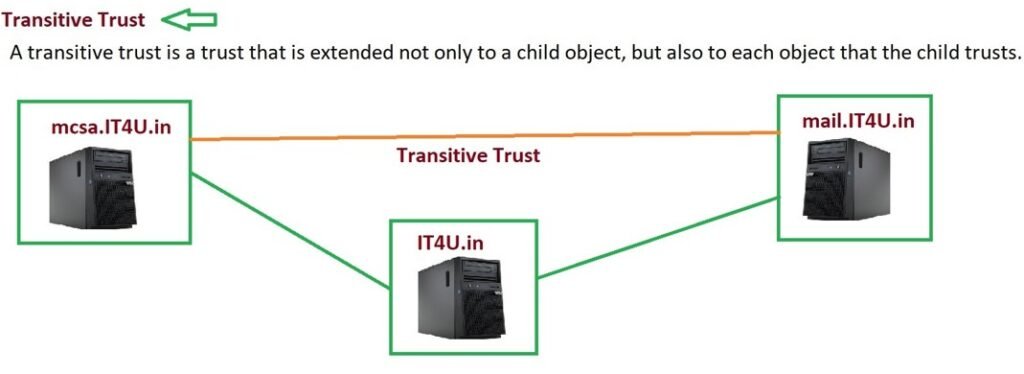
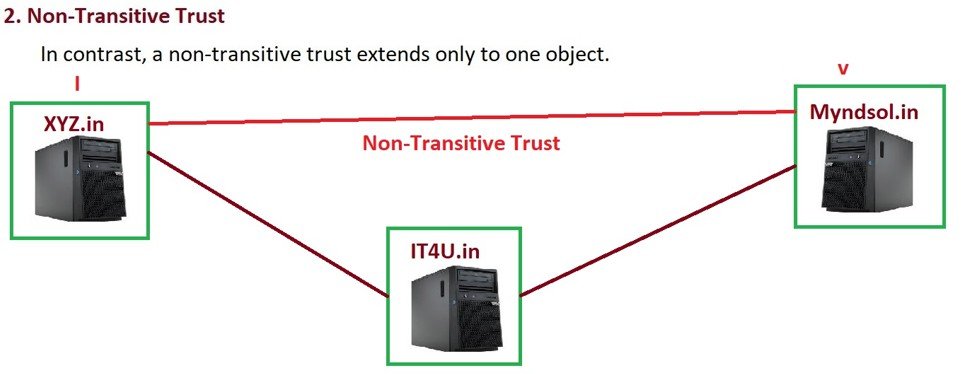
Transitive vs Non-Transitive
- Transitive Trust: Extends beyond the immediate domain. If Domain A trusts B, and B trusts C, then A trusts C.
- Non-Transitive Trust: Only exists between the two specific domains that were configured.
One-Way vs Two-Way
- One-Way Trust: Only one side trusts the other.
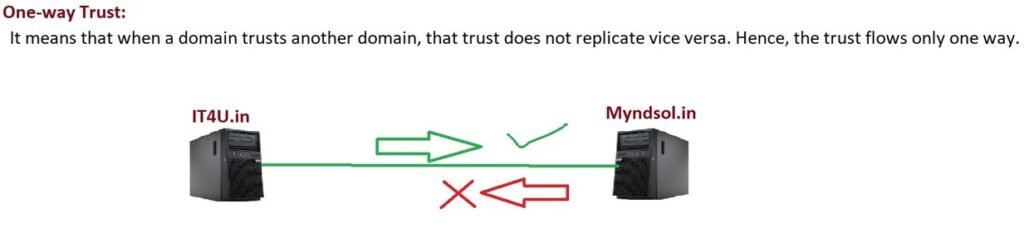
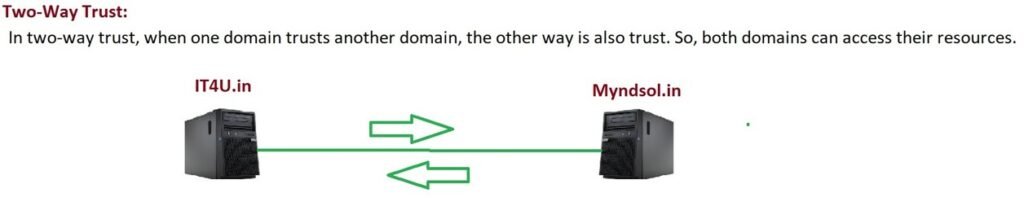
- Two-Way Trust: Both sides trust each other, enabling mutual access.
Real-Life Example: Load Sharing with Child Domains
Large organizations often use child domains to reduce load on the Primary Domain Controller (PDC).
For example:
it4u.in→ Main company domainmail.it4u.in→ Handles all email trafficshop.it4u.in→ Handles e-commerce servicescourses.it4u.in→ Handles all courses services
Just like Rediff.com uses:
rediff.com→ Main sitemail.rediff.com→ Email servicesshopping.rediff.com→ Shopping services
This separation ensures the main server isn’t overloaded.
Why This Matters for IT Professionals & Beginners
- For IT Pros: Trust relationships allow you to design scalable, secure, and flexible infrastructures across multiple sites and organizations.
- For Beginners: Learning AD Trusts is a must-have skill to work confidently in real-world IT environments.
Key Takeaways
- Trusts connect domains and forests so users can access resources securely.
- Types include Parent-Child, Tree-Root, Forest, Shortcut, Realm, and External.
- Trusts can be transitive/non-transitive and one-way/two-way.
- Child domains help balance server load by handling specific services.
Conclusion
Active Directory Trust Relationships are essential for managing resources in large, distributed environments. They ensure secure access, reduce overhead, and provide flexibility for growing organizations.
If you’re preparing for MCSA knowledge or working in enterprise IT, mastering trust relationships is non-negotiable.
👉 Did you find this explanation helpful?
- Share your thoughts in the comments.
- Subscribe to our newsletter for upcoming tutorials.
- Don’t forget to share this post with friends preparing for MCSA.
Thanks for reading – see you in the next lesson of our MCSA Full Course!
❓ Frequently Asked Questions (FAQ)
1. What is an AD Trust Relationship in Active Directory?
An AD Trust Relationship is a link between two domains or forests that allows users in one domain to access resources in another securely.
2. Why do we need trust relationships between domains?
Trusts prevent duplication of accounts, enable secure authentication across domains, and simplify user and resource management in large organizations.
3. What are the main types of Active Directory Trusts?
The main types are:
- Parent-Child Trust
- Tree-Root Trust
- Forest Trust
- Shortcut Trust
- Realm Trust
- External Trust
4. What is the difference between transitive and non-transitive trust?
- Transitive Trust: Automatically extends to other domains in the chain.
- Non-Transitive Trust: Limited only to the two domains explicitly configured.
5. What is the difference between one-way and two-way trust?
- One-Way Trust: Only one domain trusts the other.
- Two-Way Trust: Both domains trust each other, allowing mutual access.
6. Which trust type is created automatically in Active Directory?
Parent-Child and Tree-Root Trusts are created automatically when a new child domain or tree is added.
7. What is a Forest Trust, and when is it used?
A Forest Trust connects two different forests, allowing resource sharing across organizations. It’s often used when companies merge.
8. What is the purpose of a Shortcut Trust?
Shortcut Trust reduces login time by creating a direct trust path between two distant domains within a forest.
9. Can Active Directory connect with non-Windows systems?
Yes, using a Realm Trust, Active Directory can establish a relationship with non-Windows Kerberos realms (e.g., UNIX/Linux).
10. What is an External Trust?
An External Trust is a non-transitive trust used to connect Active Directory domains with older Windows domains or systems outside the forest.







Add comment